Teach Claude Once. Reuse It Forever.
What is a Claude Skill?
A Skill is a set of instructions Claude loads automatically whenever a task matches it. You write down how you do something once: your format, your rules, your steps. Every future chat applies it without you explaining anything again. If you paste the same instructions into Claude more than twice a week, that workflow should be a Skill.
What Actually Changes?
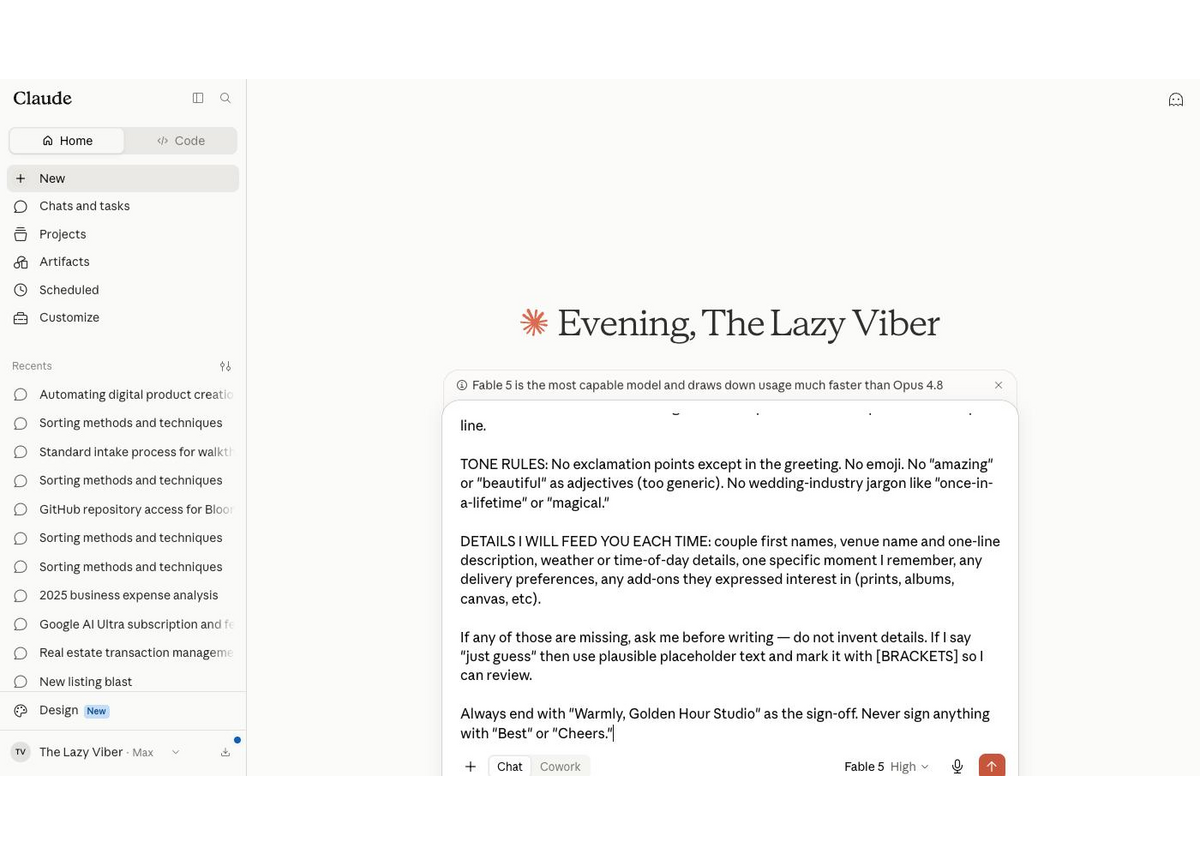
Monday, again. You dig up the 400-word prompt you keep in a note, paste it in, and hope you grabbed the current version.
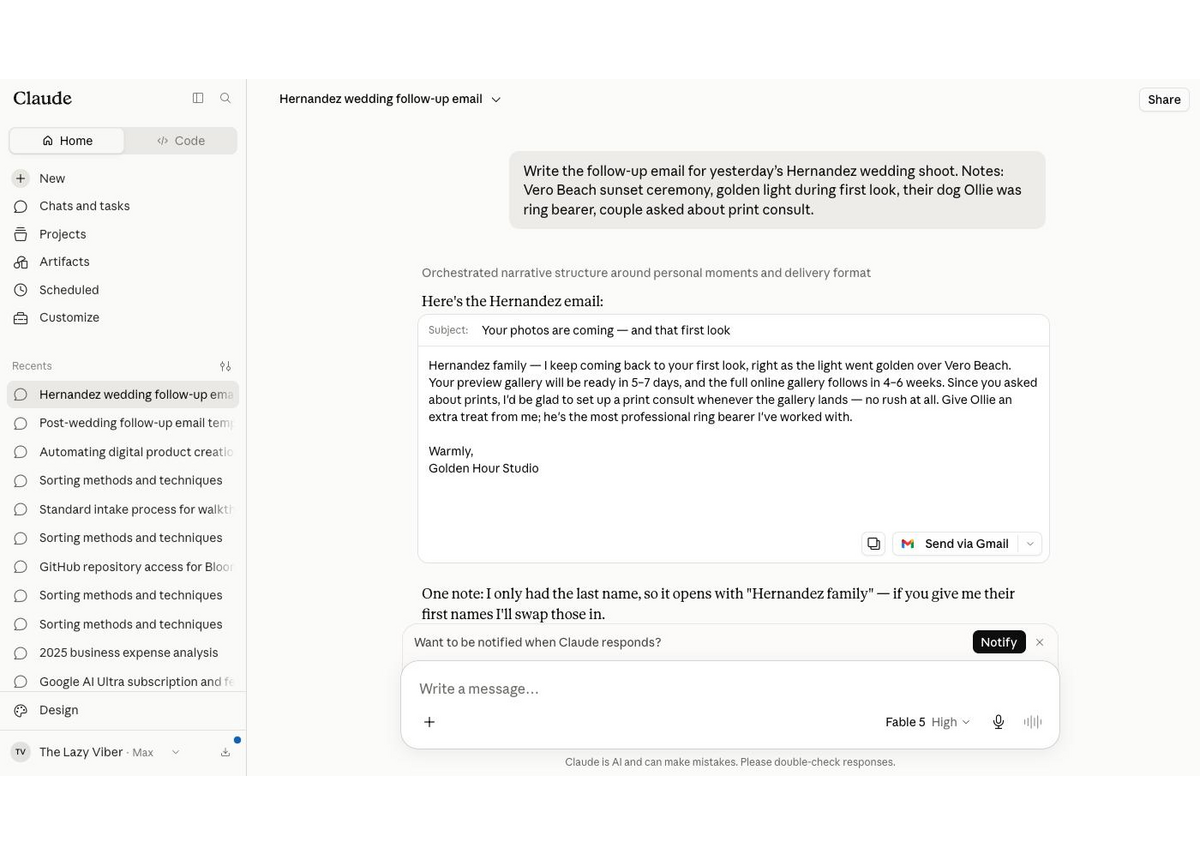
Two lines. Claude recognizes the task, loads your Skill on its own, and produces the same quality output. The wall of instructions is gone.
How Do You Set It Up?
Watch the walkthrough, then read the steps below.
Find Skills In Your Settings.
Skills live in your Claude settings under Customize. This is where you see every Skill you have, turn them on or off, and add new ones.
Paid feature. If you do not see Skills, check your plan first, not your eyesight.
See What A Skill Looks Like Inside.
A Skill is a plain instruction file: a name, a one-line description of when it should trigger, and the steps to follow. No code. If you can write a checklist, you can write a Skill.
Ask Claude To Build Your Skill.
The lazy path: describe the task you repeat and ask Claude to turn it into a Skill. Tell it what you do, what the output should look like, and what it should never do. Claude drafts the Skill file for you.
Feed it a real example of your best past output. The Skill will aim at that.
Add It To Your Account.
Upload or save the Skill in your settings. It is now part of how Claude works for you, in every new chat, without being asked.
Trigger It With A Normal Request.
Start a fresh chat and ask for the task in plain words. No magic phrasing. Claude matches the request to your Skill and you can see it load before it answers.
Change The Skill, Change Every Future Output.
New rule? Edit the Skill once. Every chat from now on follows it. This is the part that saves you: one edit replaces a hundred future corrections.
Keep Skills narrow. One job per Skill beats one Skill that does everything badly.
What Should You Use It For?
Client reports that come out in your format every time, even the ones you write at 11pm.
Essays and assignments formatted to the rubric once, instead of re-explaining the rubric every session.
Invoices, follow-up emails, and social posts in your brand voice without pasting the brand voice doc again.
When Should You Skip It?
- •The task is a one-off. A Skill you use once is just a prompt with extra steps.
- •The information changes weekly. Prices, schedules, and client lists belong in Project knowledge, not in a Skill. Skills are for how you work, not what is currently true.
- •You are on the free plan. Skills need a paid plan.
What Does This Replace?
Part of a template library, SOP tool, or prompt-manager subscription. It does not replace knowing what good output looks like. You still set the standard. The Skill just holds you to it.
Where Next?
* Tool outputs shown in video walkthroughs are representative. Results vary by account, setup, and configuration.
Verification
- Last verified:
- July 12, 2026
- Platform tested:
- claude.ai (web)
- Plan tested:
- Max
- Model shown:
- Fable 5 (High)
- Official source:
- Anthropic: Skills documentation
- Screenshots updated:
- July 12, 2026