Memory, Instructions, Projects. Who Remembers What.
What Is The Difference Between ChatGPT Memory And Custom Instructions?
ChatGPT keeps context in three separate places. Memory holds facts about you it picked up along the way. Custom Instructions hold your global rules for every chat. Project instructions hold rules for one body of work only. Most bad answers trace back to information sitting in the wrong one of these three drawers.
What Actually Changes?
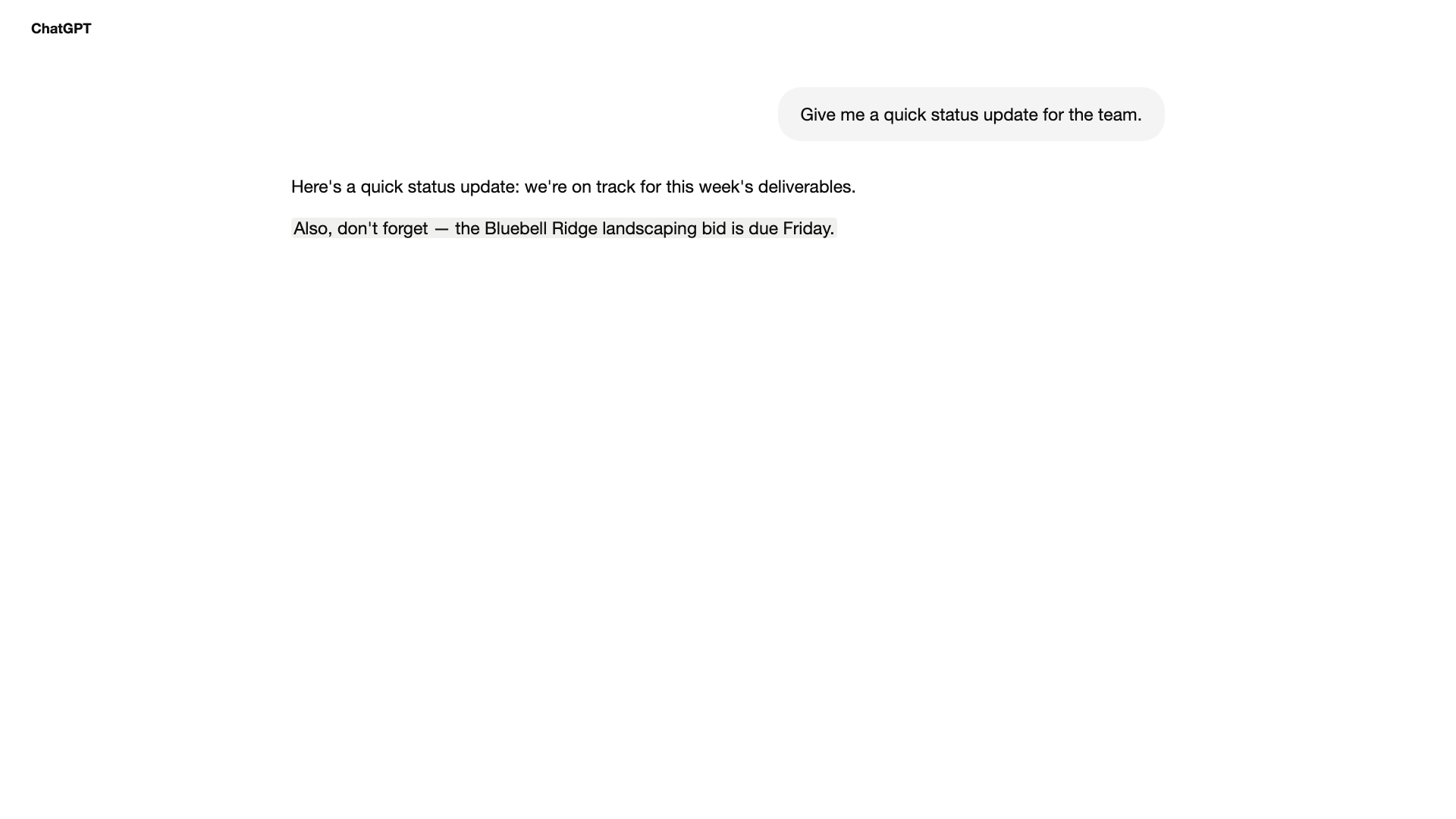
An old stored preference from a different project leaks into a new answer. ChatGPT is not wrong. It is remembering something you never cleaned up.
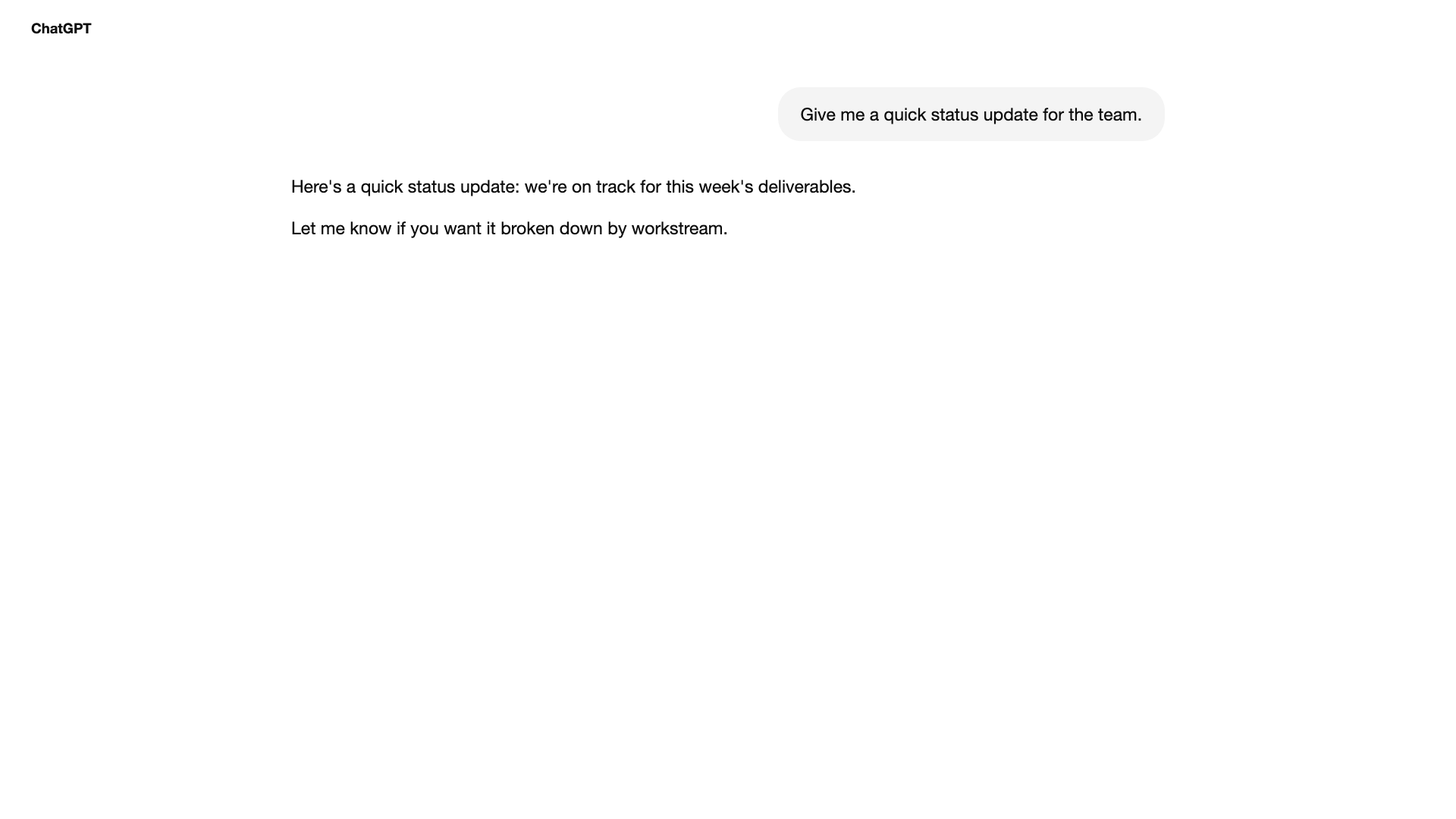
Memory corrected, global rules trimmed, work rules moved into the Project. The same question now gets an answer that stays in its lane.
How Do You Set It Up?
Watch the walkthrough, then read the steps below.
Open Personalization.
Everything in this lesson lives in one settings area. This is where ChatGPT admits what it knows about you.
Read Your Custom Instructions.
These apply to every single chat. The test for what belongs here: would you want this rule active while asking about dinner recipes AND while writing a client proposal? If not, it does not belong here.
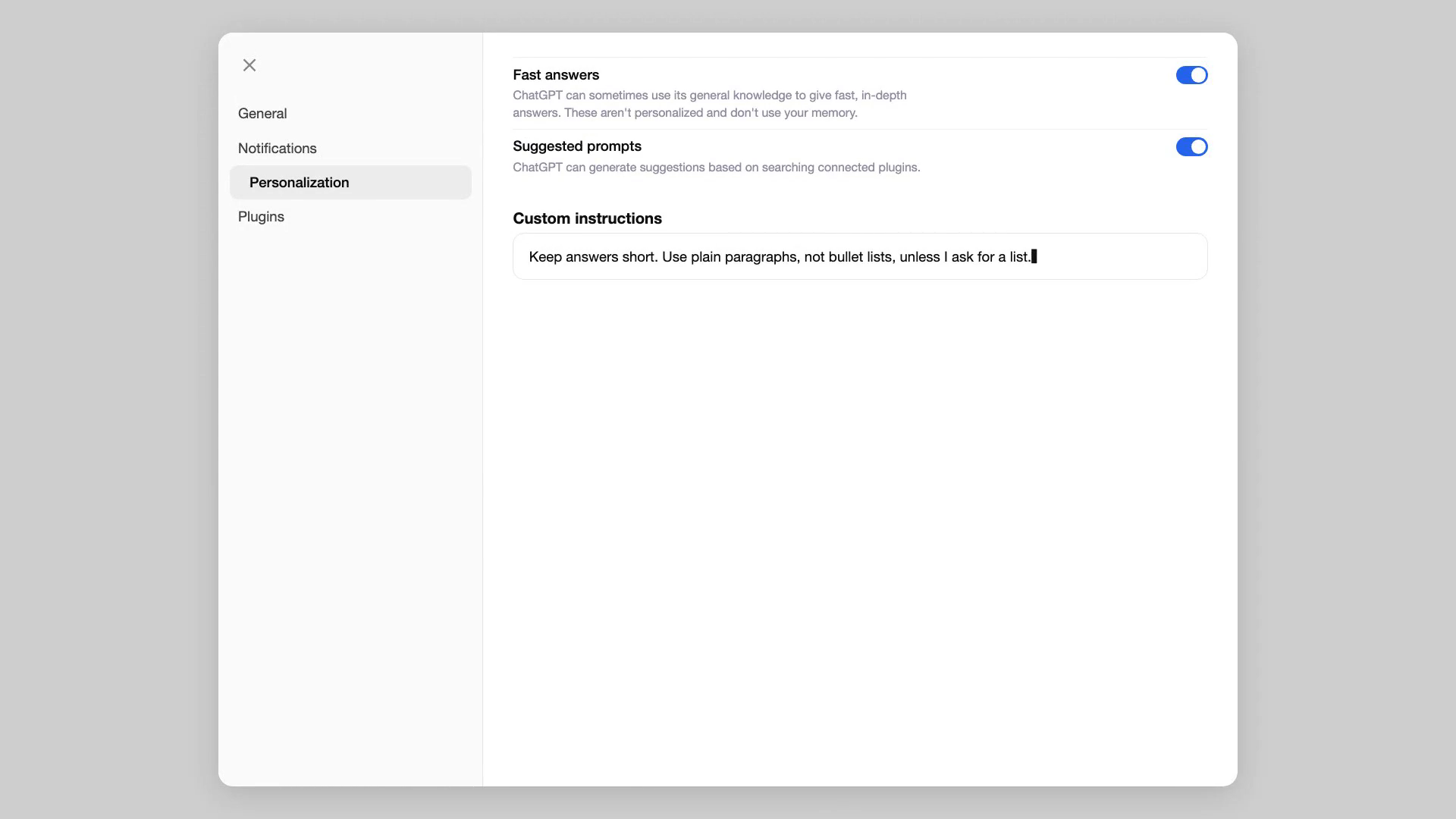
Ask It What It Remembers.
Type "What do you remember about me?" in a chat. The answer is usually a mix of useful facts and stale leftovers from projects you finished months ago.
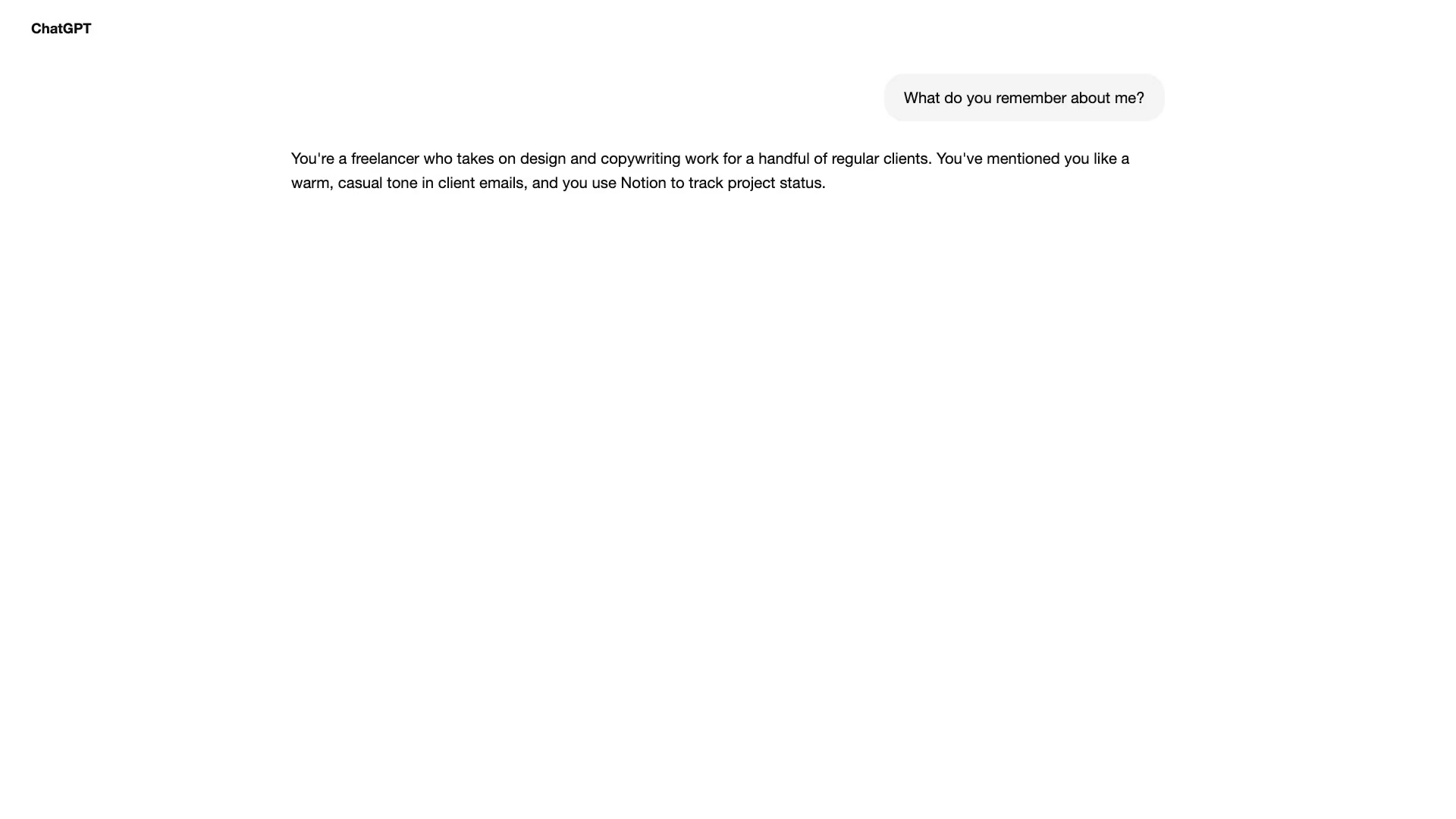
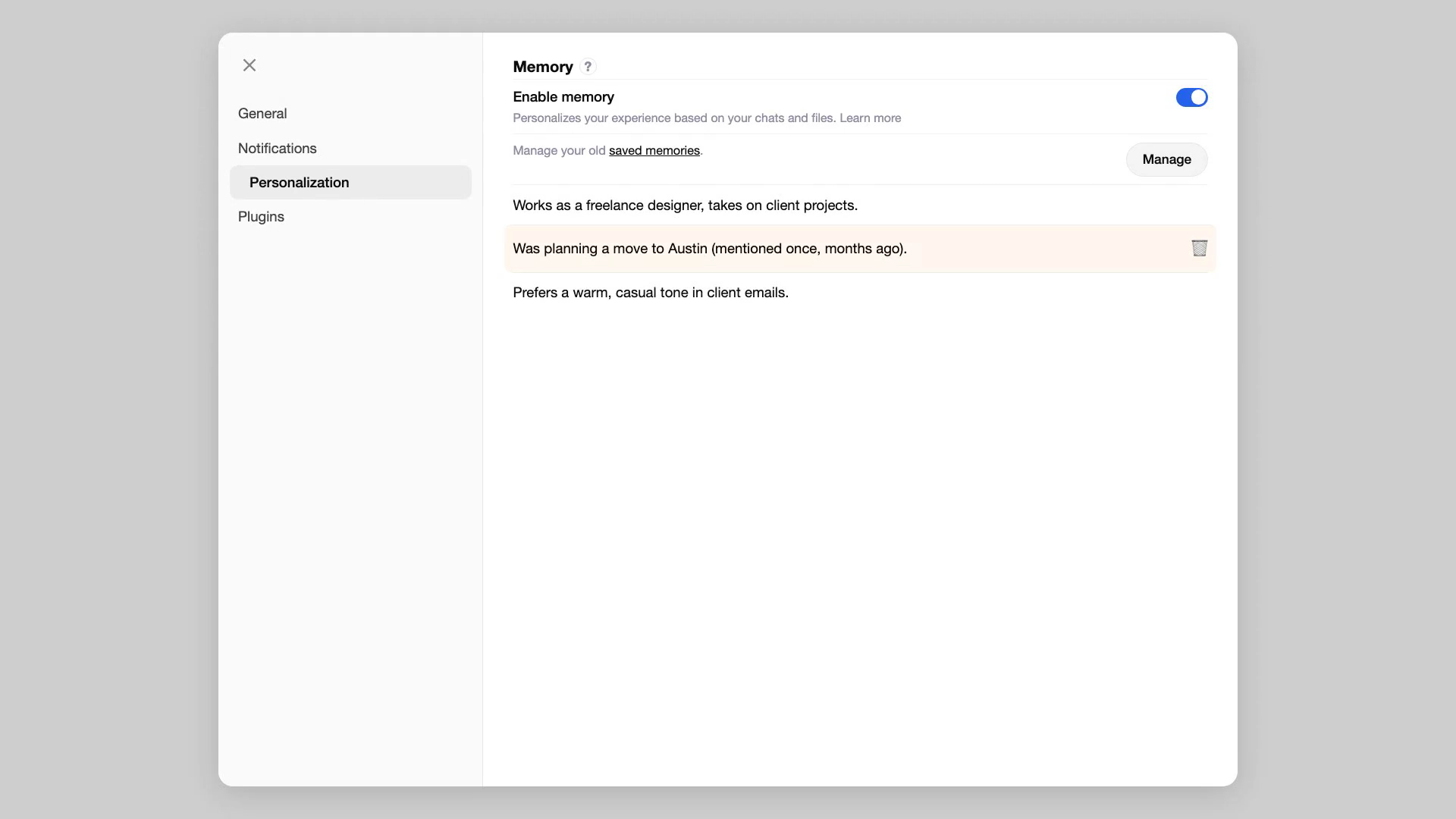
Delete One Stale Memory.
Find the outdated one and remove it in the Memory controls. This is the highest-value 30 seconds in this lesson. Stale memory is why ChatGPT keeps bringing up that thing you stopped doing last year.
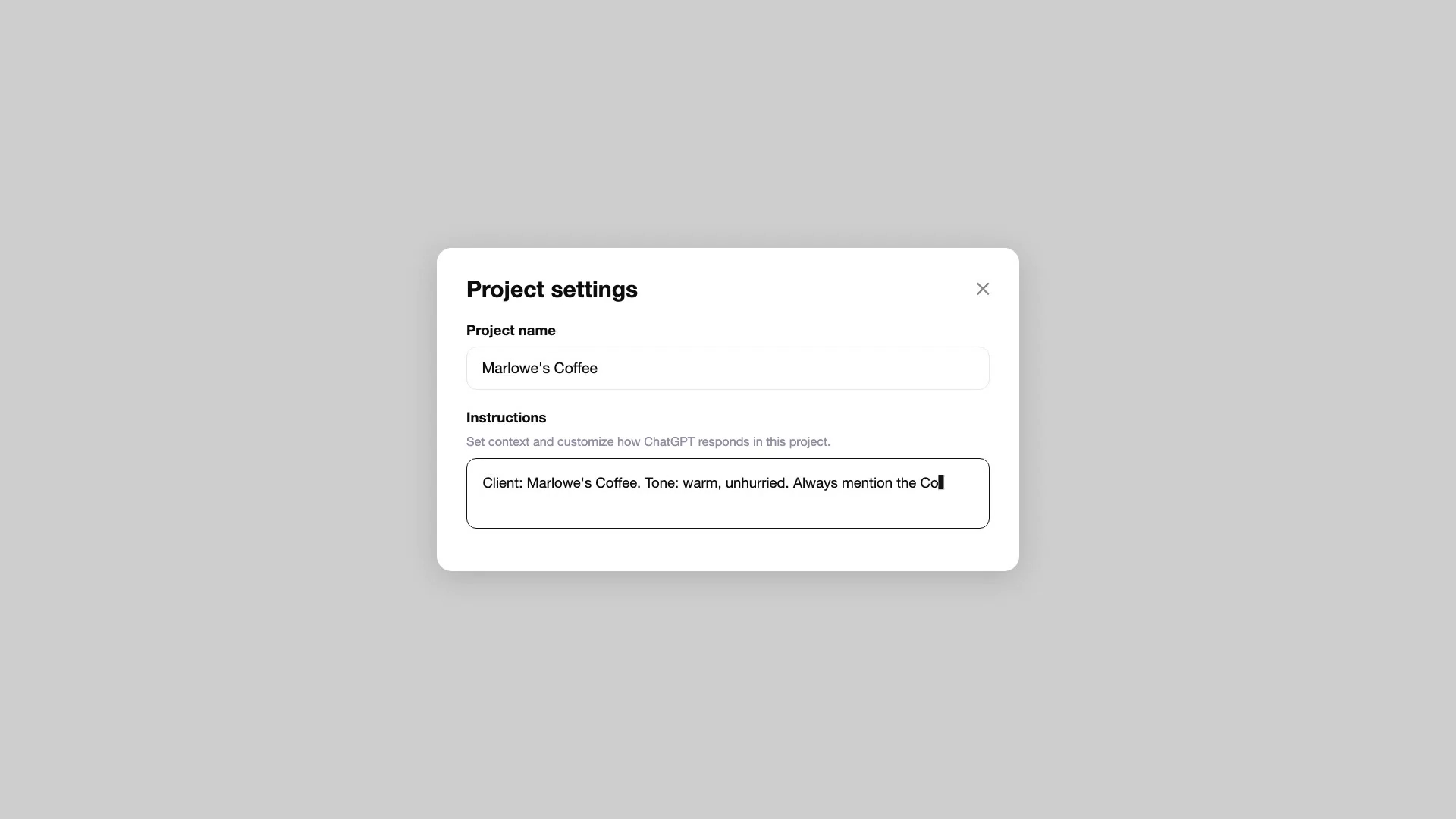
Move Work Rules Into The Project.
Client tone, output formats, and project-specific rules go in Project instructions, not global settings. Scoped rules cannot contaminate unrelated chats.
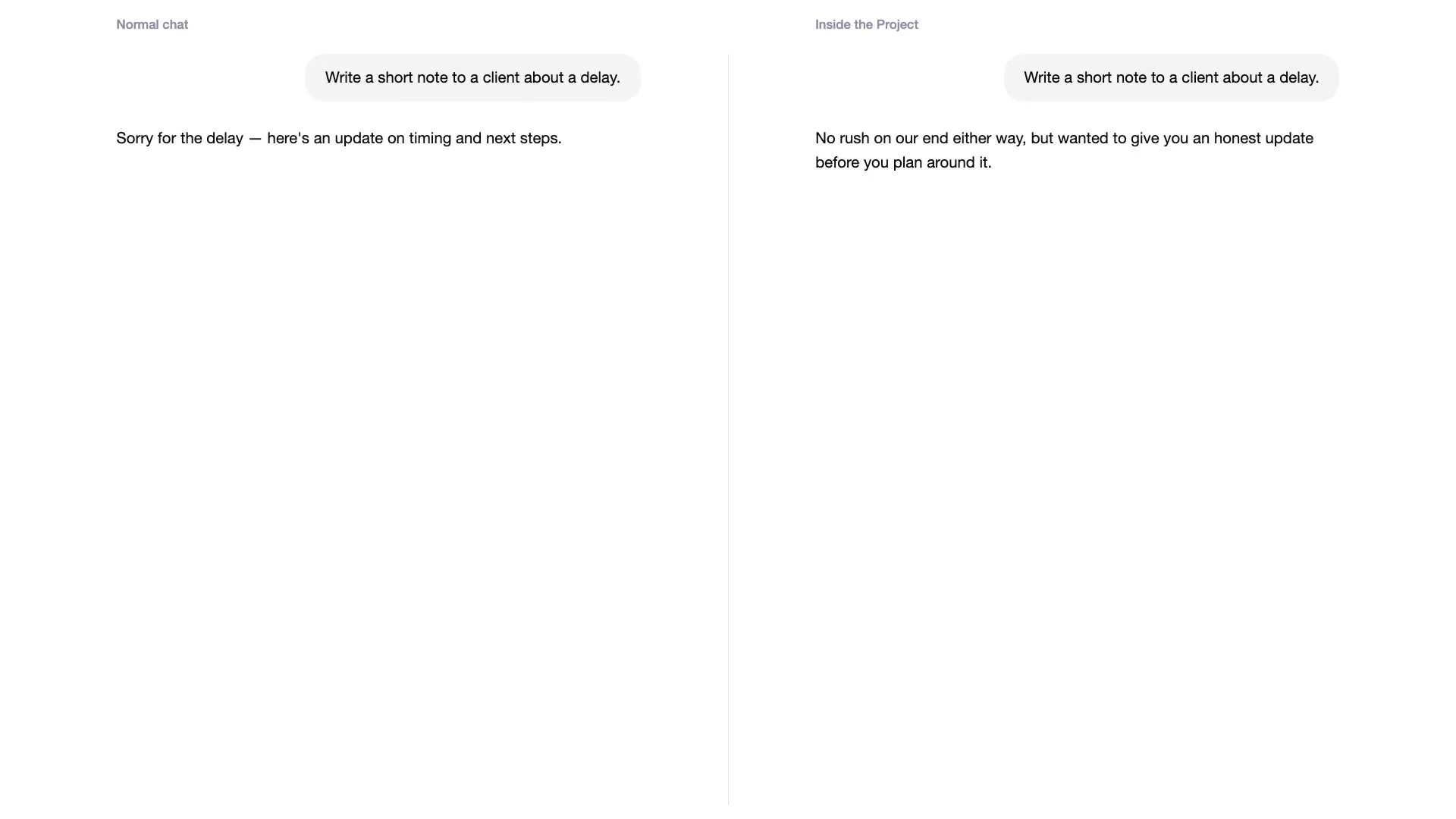
Test The Same Task Both Ways.
Run one request in a normal chat, then inside the Project. The Project answer follows the work rules. The normal chat stays clean of them. That separation is the whole system working.
For anything you want zero trace of, use a Temporary Chat. Nothing from it is stored anywhere.
What Should You Use It For?
Client A's tone rules never show up in client B's deliverables, because each set lives in its own Project.
Your citation format lives with the course, your personal writing style lives in Memory, and they stop fighting each other.
A ten-minute memory cleanup fixes the "why does it keep mentioning that" problem you have been ignoring for months.
When Should You Skip It?
- •You are about to store sensitive personal or client information in Memory. If it should not persist, use a Temporary Chat instead.
- •You are trying to fix one bad answer. Rewriting your prompt is faster than reorganizing your settings. Do this lesson when the same wrong context keeps coming back.
What Does This Replace?
Nothing you pay for. This one is pure maintenance: ten minutes that make every other ChatGPT feature work the way you expected it to.
Where Next?
* Tool outputs shown in video walkthroughs are representative. Results vary by account, setup, and configuration.
Verification
- Last verified:
- September 20, 2026
- Platform tested:
- chatgpt.com (web)
- Plan tested:
- ChatGPT Business
- Model shown:
- Live capture of Personalization Memory panel
- Official source:
- OpenAI: Memory help docs
- Screenshots updated:
- September 20, 2026