Stop Starting Over. Projects Remember.
What are ChatGPT Projects?
A Project is a workspace inside ChatGPT with its own files, instructions, and conversation history. Make one per client, business, or course. Every chat inside it starts already briefed: right files, right rules, right context. No more re-explaining who the client is, and no more ChatGPT mixing one client up with another.
What Actually Changes?
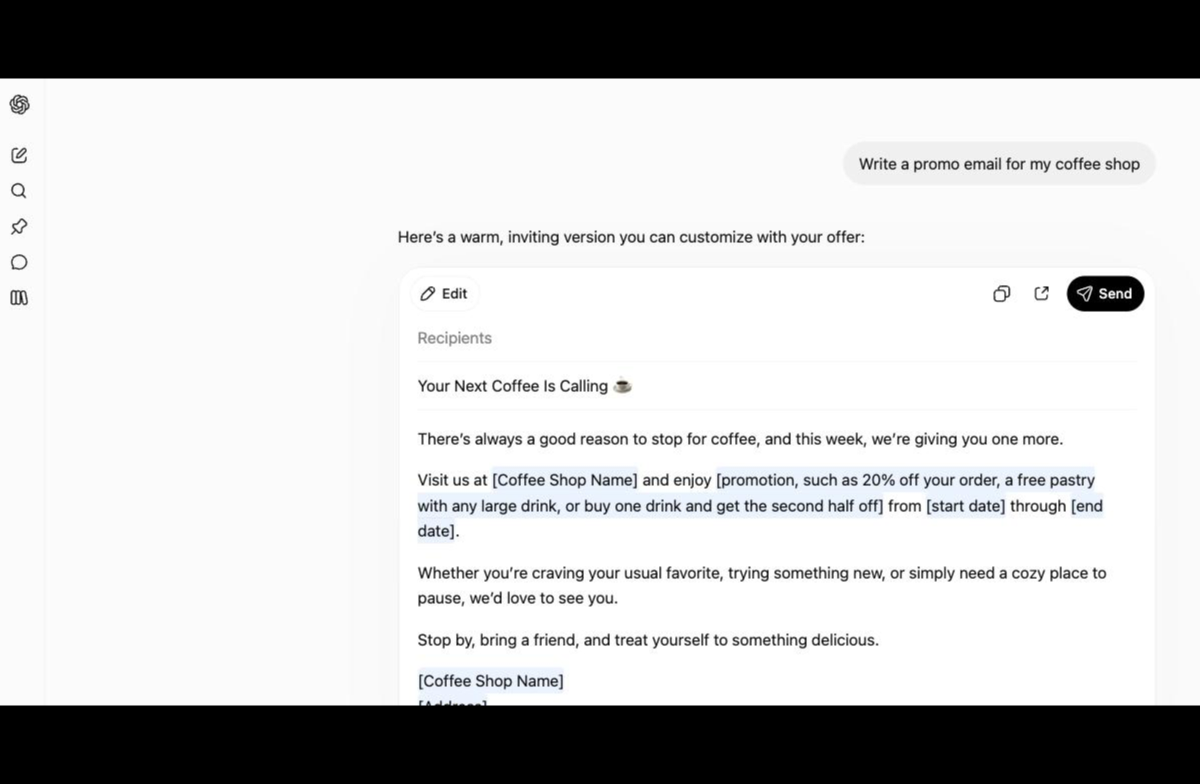
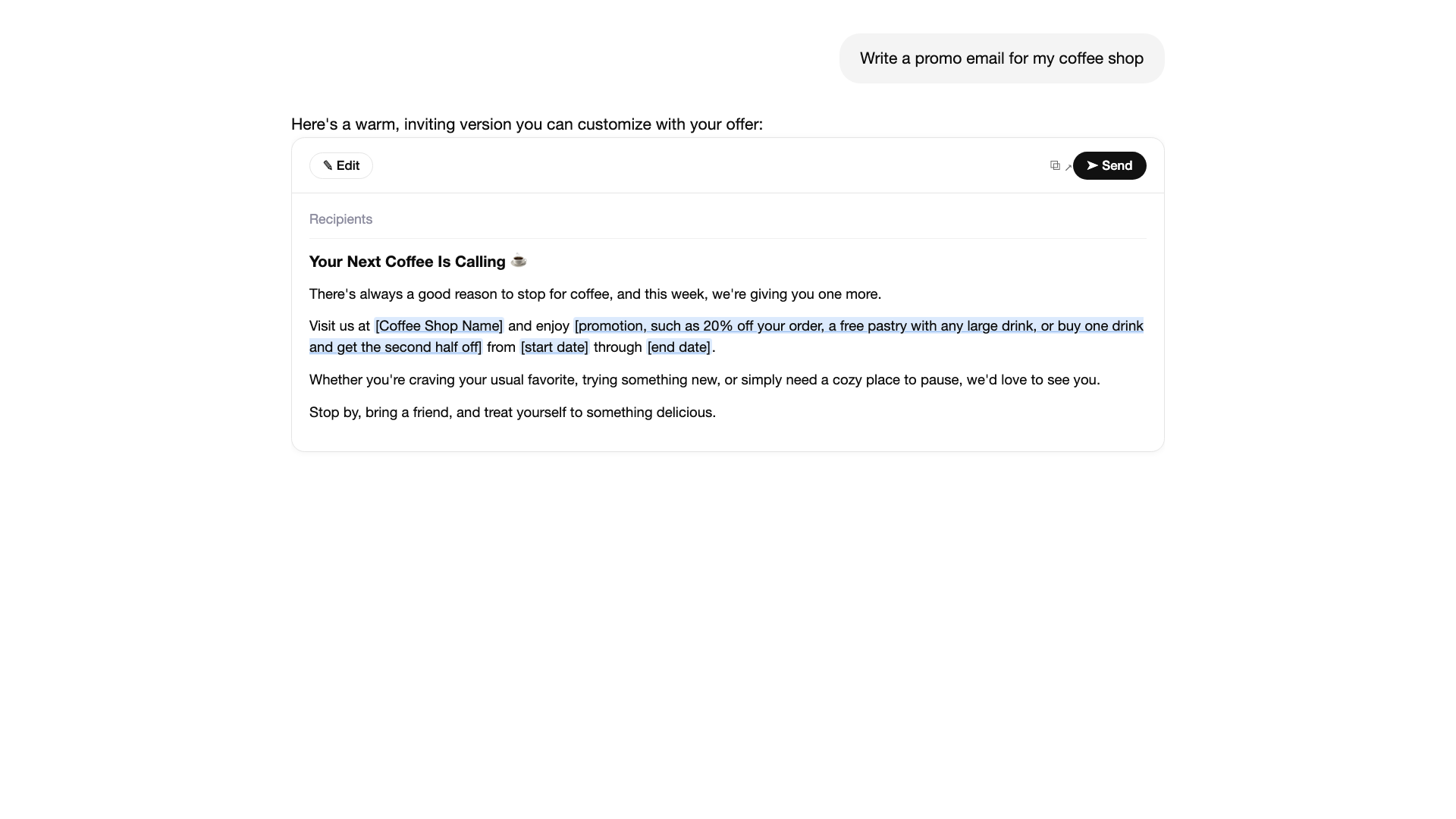
A normal chat asked for a client email. ChatGPT knows nothing about the client, so the result is generic filler you have to rewrite anyway.
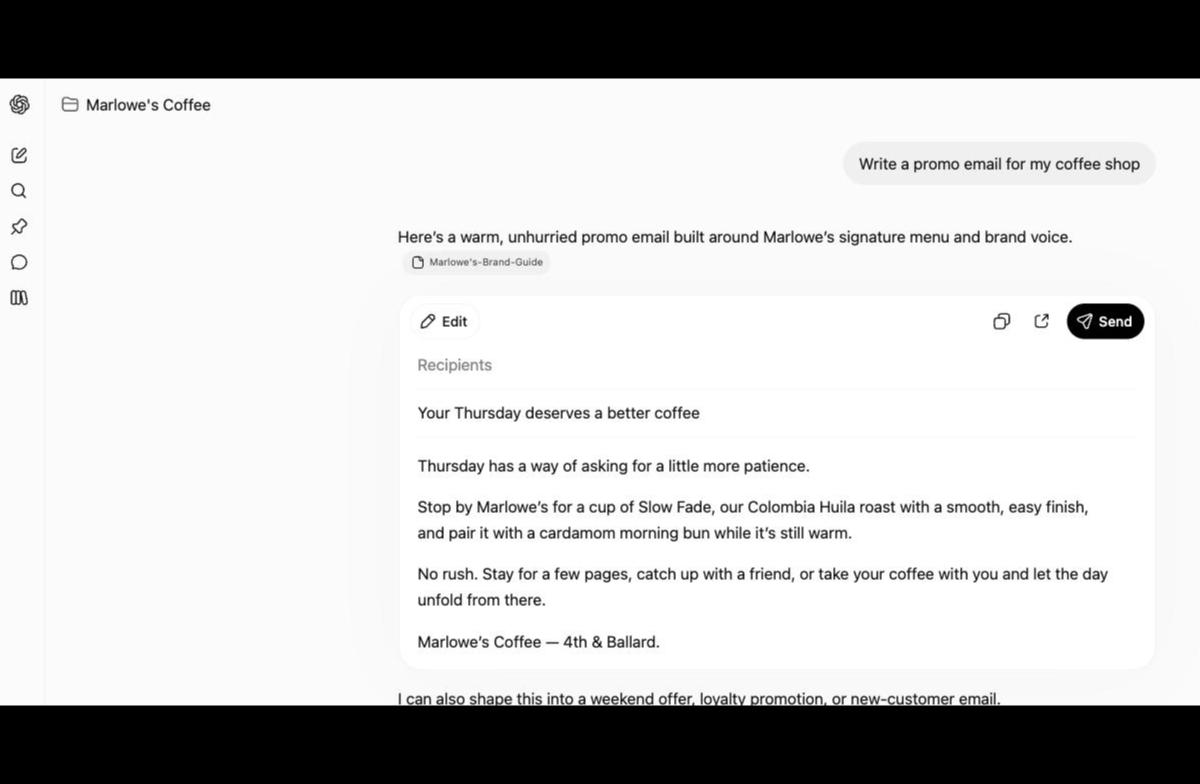
The same request inside the client's Project. Brand file loaded, instructions set. The email comes out specific, on voice, and usable.
How Do You Set It Up?
Watch the walkthrough, then read the steps below.
Create A New Project.
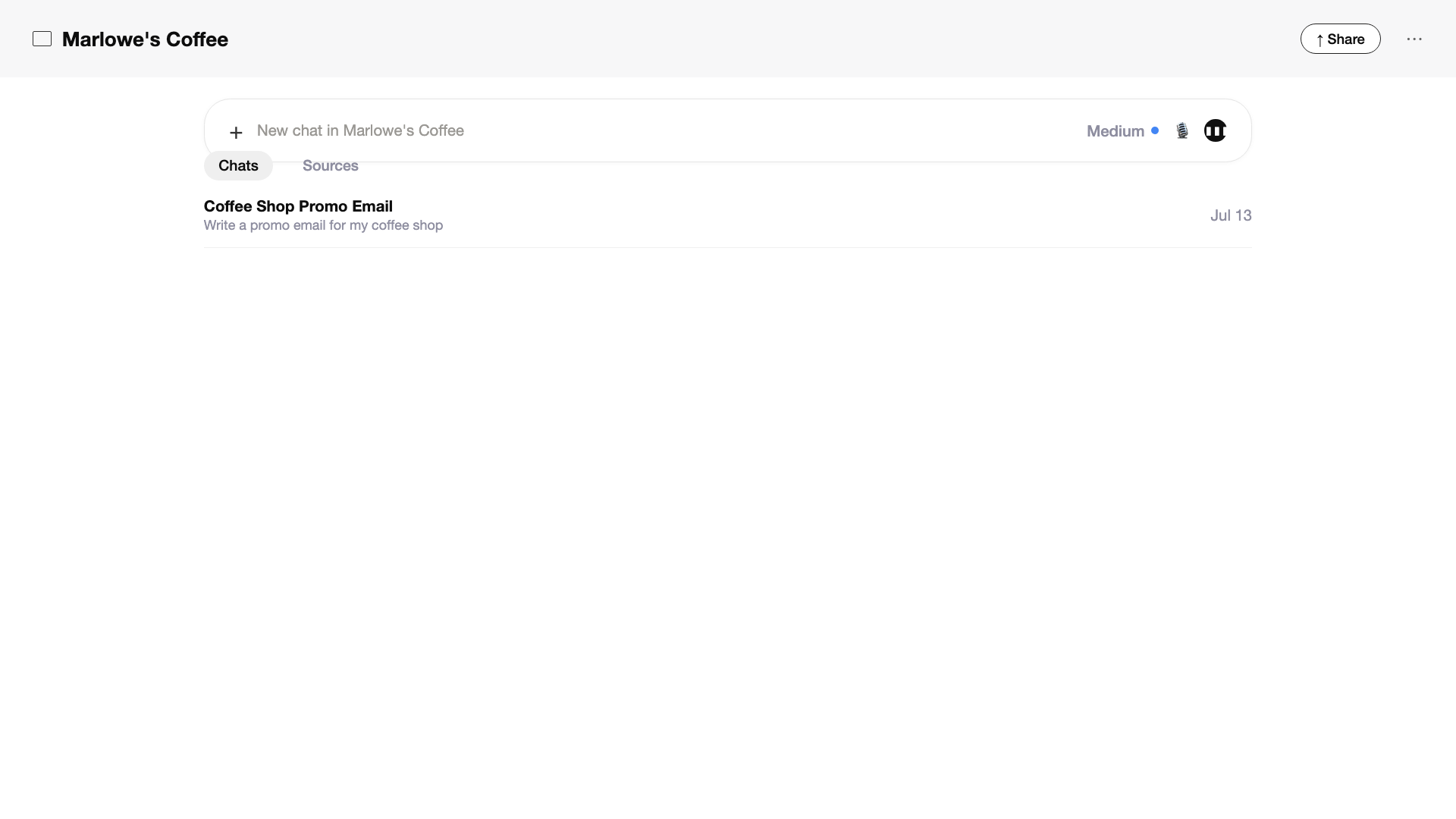
Projects live in the sidebar. Make a new one and treat it like a filing cabinet drawer: one client, one business, or one course per Project. Never a junk drawer.
Name it what it is. "Marlowe's Coffee" beats "Work Stuff 3."
Add Project Instructions.
Instructions tell ChatGPT how to behave inside this Project only. Who the client is, what the tone is, what the outputs should look like. Written once, applied to every chat inside.
Add The Sources That Matter.
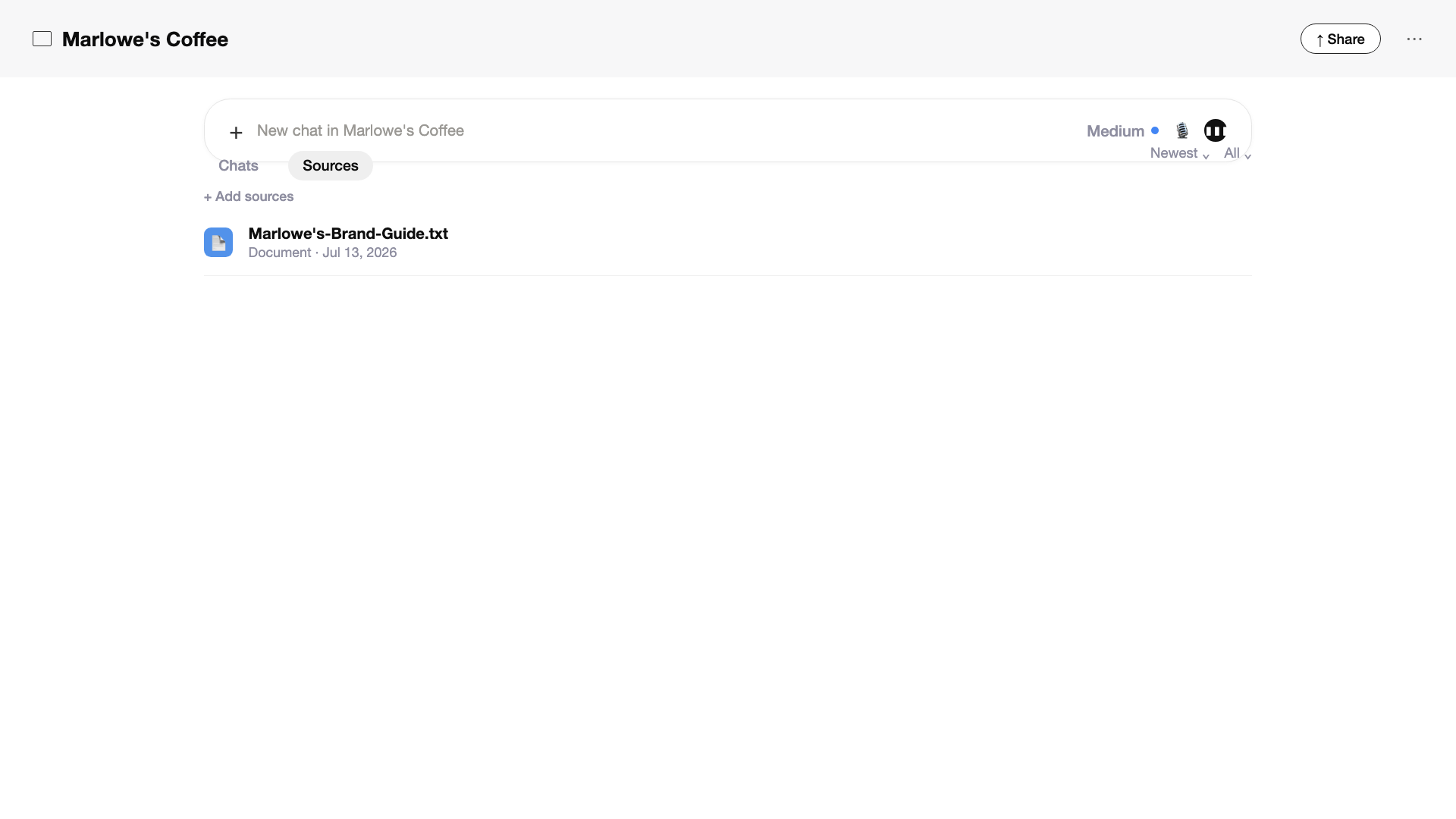
Brand guide, price list, past examples, added under Sources. Everything there is available to every conversation inside the Project. Upload once, stop pasting.
Ask For A Real Deliverable.
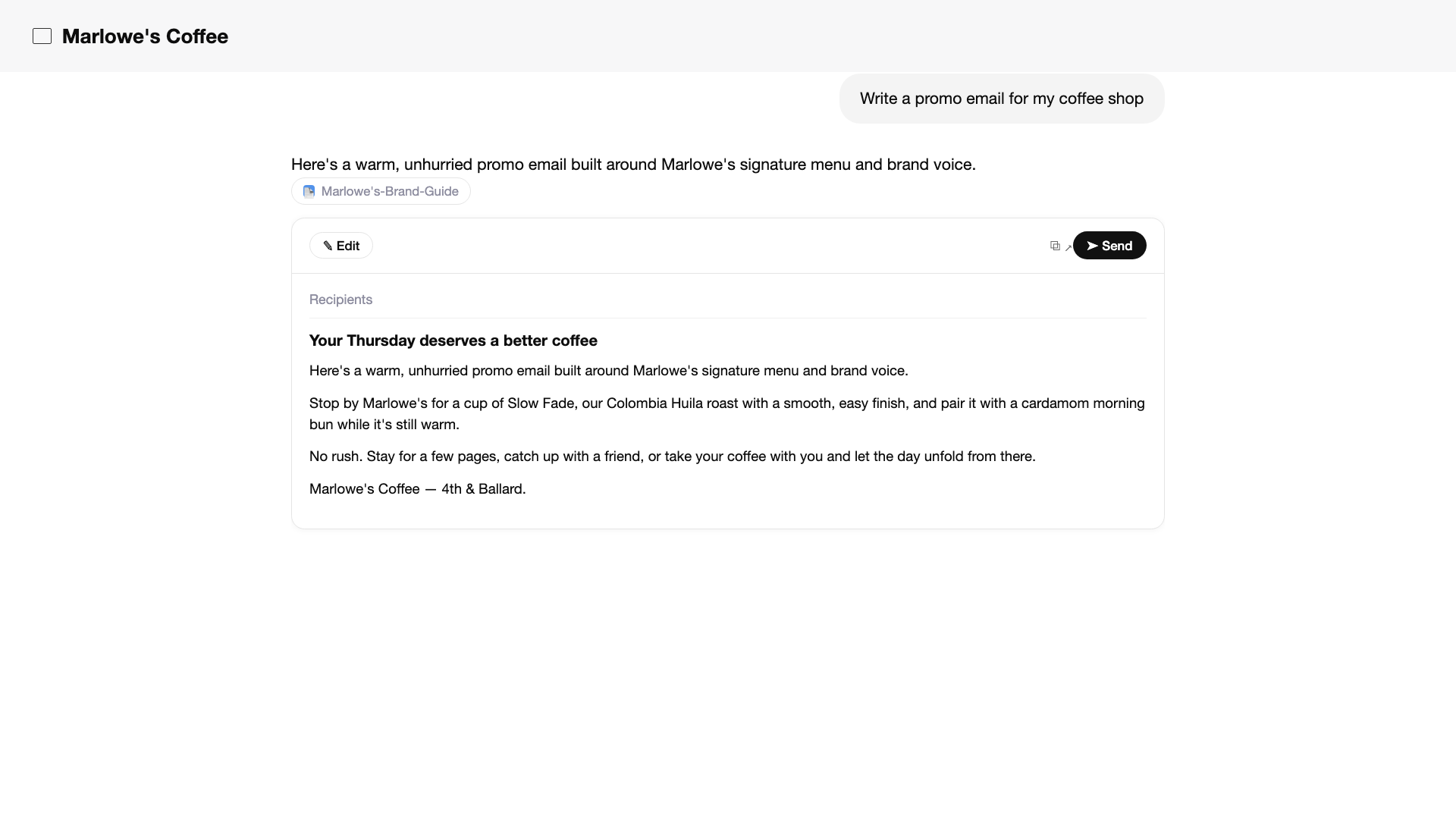
Now make it work. Ask for the email, the post, the report. Watch it pull from the sources and follow the instructions without being reminded they exist.
Run The Same Ask In A Normal Chat.
The receipts step. Same request, plain chat, no Project. Compare the two outputs side by side. The difference is the whole argument for Projects.
Come Back Tomorrow. It All Holds.
Open the Project next week and the sources, instructions, and past chats are still there. The workspace compounds. Chats in the open feed do not.
If you handle multiple clients, this is also a privacy line: one client's details never bleed into another's Project.
What Should You Use It For?
One Project per client. Their brand, their files, their history. Switching clients is switching Projects, not re-briefing from zero.
One Project per course. Syllabus and rubric uploaded once, every assignment chat starts already knowing the rules.
One Project for the business. Price list, tone, policies loaded. Any post or email you ask for comes out sounding like you.
When Should You Skip It?
- •The question is a one-off. Random questions belong in a normal chat, not a workspace.
- •The task needs your saved instructions from a different context. Projects are deliberately walled off. That wall is the feature.
- •You want a shareable assistant others can use. That is a ChatGPT Project, not a Project.
What Does This Replace?
Part of a prompt folder, a client-notes doc, or a light CRM workflow. It does not replace knowing your client. It just stops you from re-typing what you know.
Where Next?
* Tool outputs shown in video walkthroughs are representative. Results vary by account, setup, and configuration.
Verification
- Last verified:
- July 13, 2026
- Platform tested:
- chatgpt.com (web)
- Plan tested:
- ChatGPT Business
- Model shown:
- Medium
- Official source:
- OpenAI: Projects help docs
- Screenshots updated:
- July 13, 2026